In today’s fast-paced digital world, social media has become an integral part of our lives. For businesses, it presents a unique opportunity to connect with their audience, promote their brand, and share valuable content.
When it comes to social media platforms, Twitter stands out as a powerful tool for real-time engagement and conversations. To maximize the impact of your Twitter presence and enhance your social media integration, utilizing Twitter widgets is a creative and effective strategy.
What are Twitter Widgets?
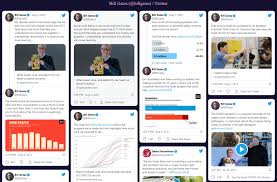
Twitter widgets are customizable elements that allow you to embed real-time Twitter content directly onto your website. Whether it’s displaying your latest tweets, showcasing a specific hashtag, or incorporating a Twitter feed, these widgets offer an engaging and interactive way to share your social media content beyond the Twitter platform itself.
Why Use Twitter Widgets?
Integrating Twitter widgets into your website provides several advantages for businesses:
Showcasing Real-Time Updates: Twitter is known for its real-time nature, and widgets enable you to display your latest tweets or conversations happening around a specific topic. This dynamic content keeps your website visitors informed and engaged.
Enhancing User Experience: By incorporating Twitter widgets, you provide visitors with a visually appealing and interactive experience, encouraging them to explore your social media content without leaving your website.
Building Social Proof: Displaying tweets and conversations related to your brand or industry through widgets helps build social proof. It demonstrates that people are actively engaged with your business, reinforcing trust and credibility among potential customers.
Driving Traffic to Twitter: Embedding Twitter widgets on your website can act as a gateway to your Twitter profile. Visitors who interact with the widgets may be inclined to follow your account, increasing your Twitter audience and expanding your reach.
Now that we understand the importance of Twitter widgets, let’s explore the top 10 tools that can help you showcase your social media content creatively:
Twitter Publish: Twitter’s official widget tool, Twitter Publish, enables you to embed timelines, tweets, and buttons seamlessly into your website. With customization options and responsive designs, you can maintain a consistent visual appeal across devices.
Idukki: Idukki is a powerful social media aggregator that supports Twitter and other platforms. It allows you to collect and curate Twitter feeds, hashtags, and user-generated content, creating engaging and dynamic widgets for your website.
Curator.io: Curator.io is a versatile social media widget tool that supports Twitter integration. It offers customizable designs, filtering options, and scheduling features, allowing you to create captivating Twitter displays that align with your brand’s aesthetic.
Juicer: Juicer is a comprehensive social media aggregator that enables you to create dynamic Twitter widgets for your website. Alongside Twitter, it supports various other platforms, making it an ideal tool to aggregate and display content from multiple social media sources.
TweetDeck: TweetDeck, owned by Twitter, is a powerful tool for managing and organizing your Twitter account. It provides customizable columns that display real-time tweets, hashtags, and mentions. By incorporating TweetDeck into your website, you can showcase live Twitter content directly to your visitors.
Walls.io: Walls.io is a social media wall tool that allows you to create interactive Twitter widgets for your website. You can aggregate tweets, hashtags, and user-generated content to create engaging displays. Walls.io offers customization options, moderation features, and real-time updates for a seamless Twitter integration.
Goodwidgets: Goodwidgets is a user-friendly widget builder specifically designed for Twitter. It offers various widget styles, including timelines, tweets, and search results. With simple customization options, you can create visually appealing Twitter widgets in minutes.
TwineSocial: TwineSocial is a comprehensive social media widget tool that supports Twitter integration and offers a range of features to create captivating Twitter displays. It allows you to aggregate and curate Twitter content, including hashtags, user mentions, and tweets, all in one widget.
Custom Twitter Widget Development: If you have specific design requirements or unique functionality in mind, opting for custom Twitter widget development might be the best solution. Hiring a skilled developer or agency can help you create a tailor-made Twitter widget that perfectly aligns with your brand identity and website aesthetics.
WordPress Plugins: For websites built on WordPress, there are numerous plugins available that offer Twitter widget functionality. Plugins like Custom Twitter Feeds, Easy Twitter Feed Widget, and Twitter Widget by WPZOOM simplify the process of embedding Twitter content onto your website, providing customization options and easy integration.
Conclusion:
Integrating Twitter widgets into your website offers a creative and engaging way to showcase your social media content, connect with your audience, and drive traffic to your Twitter profile. The top 10 Twitter widget tools mentioned in this article provide a range of features, customization options, and user-friendly interfaces to elevate your social media integration.
Whether you choose official tools like Twitter Publish, versatile aggregators like Idukki and Curator.io, or social media wall tools like Walls.io and TwineSocial, each tool offers unique capabilities to create visually stunning and interactive Twitter displays.
Remember to select the tool that best aligns with your business goals, website design, and customization requirements. By incorporating Twitter widgets creatively, you can unlock the power of real-time engagement and leverage social media to its fullest potential. So, start exploring these tools today and elevate your website’s social media integration with captivating Twitter widgets.

 UGC Marketing